The Sony STR-DH550 is a versatile receiver‚ offering enhanced audio experiences for home theaters and music lovers alike‚ with easy setup and connectivity.
What is the Sony STR-DH550?
The Sony STR-DH550 is a 5.2-channel AV receiver designed to deliver immersive sound for your home entertainment system. It’s a key component for connecting various audio and video sources‚ like TVs‚ Blu-ray players (such as the Sony UBP-X800M2)‚ and satellite receivers. This receiver aims to enhance your viewing and listening experiences with features like Dolby Digital and DTS support.
It’s positioned as an entry-level receiver‚ making it accessible for users seeking improved audio without the complexity of higher-end models‚ as discussed on HIFI-FORUM.
Key Features and Specifications
The STR-DH550 boasts 100W per channel‚ supporting a 5.2 channel configuration. Connectivity includes four HDMI inputs with HDCP 2.2‚ one HDMI output‚ and digital optical/coaxial inputs. It features Bluetooth for wireless streaming‚ and is compatible with high-resolution audio playback.
Network features‚ if applicable‚ enable further connectivity. The receiver supports Dolby Digital and DTS formats‚ enhancing surround sound. It also incorporates HDMI Control (CEC) for simplified operation with compatible devices‚ as discussed within online communities.

Setting Up Your STR-DH550
Initial setup involves carefully unboxing components‚ connecting speakers appropriately‚ and linking your desired input sources—TV‚ Blu-ray player‚ or satellite receiver—for optimal performance.
Unboxing and Component Check
Carefully unpack the Sony STR-DH550 receiver‚ ensuring all included items are present. You should find the receiver unit itself‚ a remote control (with batteries)‚ a speaker wire label‚ and the user manual. Inspect each component for any physical damage sustained during shipping. Verify the presence of the power cord and any necessary connection cables. Retain the original packaging for potential future transport or warranty claims. A thorough component check before proceeding guarantees a smooth setup process and avoids potential issues later on.
Connecting Speakers
Before connecting speakers‚ power off the STR-DH550. Locate the speaker terminals on the rear panel‚ color-coded for easy identification. Match the speaker wire colors to the corresponding terminals – positive to positive‚ negative to negative. Ensure a secure connection by firmly inserting the wire into the terminals. Double-check all connections before powering on the receiver. Incorrect wiring can lead to poor audio quality or damage to the system. Use appropriate gauge speaker wire for optimal performance and signal transmission.
Speaker Configuration Options
The STR-DH550 supports various speaker configurations‚ including 2.0‚ 2.1‚ and 5.1 channel setups. A 2.0 configuration utilizes two speakers for stereo sound. Adding a subwoofer creates a 2.1 system for enhanced bass. A 5.1 setup incorporates five speakers and a subwoofer for immersive surround sound. Access the speaker setup menu on the receiver to select your desired configuration. Properly configuring the speakers ensures optimal audio performance and a balanced soundstage tailored to your listening environment.
Connecting Input Sources
The STR-DH550 offers multiple input options for connecting your devices. Utilize the HDMI inputs for Blu-ray players (like the Sony UBP-X800M2) and TVs‚ ensuring high-quality audio and video transmission. Optical inputs are available for devices lacking HDMI. Coaxial and analog audio inputs provide further connectivity. Remember to select the correct input source on the receiver using the input selector button on the remote or front panel to enjoy audio from your chosen device.
Connecting a TV
To connect your TV to the STR-DH550‚ use an HDMI cable. Plug one end into the TV’s HDMI ARC (Audio Return Channel) port and the other into the receiver’s ARC-compatible HDMI input. This allows audio from the TV – including built-in apps and broadcast channels – to be sent to the receiver. Ensure HDMI CEC is enabled in both the TV and receiver settings for simplified control. If ARC isn’t available‚ use an optical cable instead.
Connecting a Blu-ray Player (e.g.‚ Sony UBP-X800M2)
For optimal audio and video quality‚ connect your Blu-ray player‚ such as the Sony UBP-X800M2‚ using an HDMI cable. Plug one end into the Blu-ray player’s HDMI output and the other into an available HDMI input on the STR-DH550. Ensure the receiver is set to the correct input source. This connection supports high-resolution audio and video formats. Enable HDMI control (CEC) on both devices for seamless operation and simplified remote control functionality.
Connecting a Satellite Receiver (Troubleshooting Signal Loss)
Connect your satellite receiver to the STR-DH550 using an HDMI or optical cable‚ depending on your receiver’s outputs. If experiencing signal loss‚ verify all cable connections are secure. Ensure the receiver is set to the correct input on the STR-DH550. Check the satellite receiver’s signal strength settings and antenna alignment. A Sony Bravia TV may also experience similar issues; a receiver reset can sometimes resolve connectivity problems.
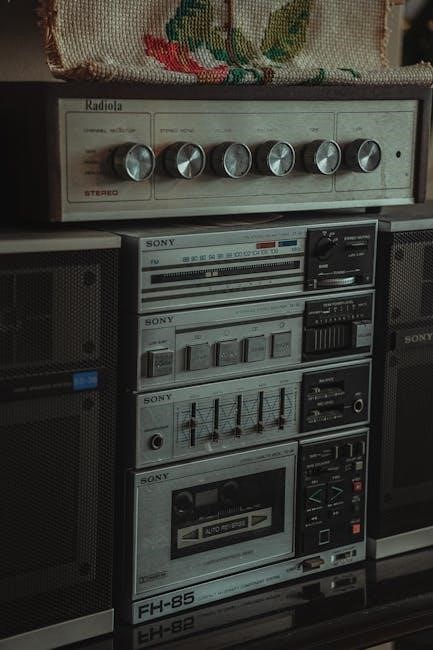
Understanding the STR-DH550 Remote Control
The STR-DH550’s remote provides intuitive control over all receiver functions‚ including power‚ volume‚ input selection‚ and audio settings for a seamless user experience.
Remote Control Layout and Functions
The Sony STR-DH550 remote features a logically arranged button layout for effortless operation. Key sections include power control‚ input selection buttons (labeled for each source)‚ volume and tuning controls‚ and dedicated buttons for sound modes like Movie‚ Music‚ and Game. A navigation pad allows menu access and adjustments.
Additional functions include direct access to settings‚ a display button to view current status‚ and buttons for Bluetooth pairing and control. The remote’s design prioritizes ease of use‚ ensuring quick access to frequently used features without complex navigation. Understanding each section enhances the overall user experience.
Basic Operations: Power‚ Volume‚ Input Selection
Powering on the STR-DH550 is achieved with the power button on both the receiver and the remote control. Volume adjustment utilizes the dedicated volume up/down buttons‚ offering precise control. Input selection is straightforward; press the corresponding input button (e.g.‚ HDMI 1‚ Optical 1) on the remote to switch between connected devices.
The receiver instantly recognizes the selected input. These core functions are fundamental to daily use‚ providing immediate access to your desired audio source and volume level. Mastering these steps ensures a seamless listening experience.
Audio Settings and Customization
The STR-DH550 provides diverse audio settings‚ including sound modes (Movie‚ Music‚ Game) and equalizer adjustments‚ allowing personalized soundscapes for optimal listening.
Sound Modes: Movie‚ Music‚ Game‚ etc.
The Sony STR-DH550 features pre-set sound modes designed to optimize audio for various content types. ‘Movie’ enhances dynamic range and clarity for cinematic experiences. ‘Music’ prioritizes faithful audio reproduction‚ ideal for stereo listening. ‘Game’ minimizes audio latency‚ providing immersive gaming sound. Additional modes‚ if available‚ cater to specific genres or preferences.
Users can select these modes via the receiver’s front panel or remote control‚ instantly tailoring the sound output to match the source material. Experimenting with each mode is recommended to discover the best fit for individual tastes and listening environments.
Equalizer Settings
The Sony STR-DH550 allows for customized audio equalization‚ enabling users to fine-tune the sound to their preferences and room acoustics. Typically‚ a multi-band equalizer is included‚ offering control over specific frequency ranges – bass‚ mid-range‚ and treble. Adjusting these bands can correct for room imperfections or emphasize desired sonic characteristics.
Access the equalizer settings through the receiver’s menu system. Experiment with subtle adjustments to avoid distorting the original audio signal. Presets may also be available for quick adjustments‚ offering a starting point for customization.
Adjusting Speaker Levels
The Sony STR-DH550 provides individual speaker level calibration‚ crucial for achieving balanced sound across your home theater setup. Access the speaker level settings within the receiver’s menu. Use a test tone and a sound level meter (or a smartphone app) to measure the output from each speaker at your listening position.
Adjust each speaker’s level until they all produce roughly the same decibel reading. This ensures a cohesive and immersive audio experience‚ preventing any single speaker from overpowering the others.
Network and Connectivity Features
The STR-DH550 boasts Bluetooth for wireless streaming from smartphones and tablets‚ enhancing convenience and offering versatile audio playback options for users.
Bluetooth Pairing and Streaming
Pairing a Bluetooth device with the STR-DH550 is straightforward. First‚ ensure Bluetooth is enabled on your smartphone or tablet. Then‚ on the receiver‚ select the Bluetooth input source. The STR-DH550 will become discoverable. Select it from your device’s Bluetooth settings.
Once paired‚ you can stream music wirelessly. The receiver supports various Bluetooth codecs for optimal audio quality. Enjoy seamless music playback from your favorite streaming services or local music libraries. Remember to keep the devices within a reasonable range for a stable connection.
Wi-Fi Setup (If Applicable)
The STR-DH550 may offer Wi-Fi connectivity for network audio streaming and firmware updates. To connect‚ access the receiver’s setup menu and navigate to the network settings. Select your Wi-Fi network from the available list and enter the password when prompted.
A successful connection enables access to internet radio stations and music streaming services. Ensure a strong Wi-Fi signal for uninterrupted playback. Regularly check for firmware updates via the network to maintain optimal performance and access new features.

Troubleshooting Common Issues
Addressing typical problems with the STR-DH550‚ such as no sound‚ lost channels‚ or remote control malfunctions‚ ensures a smooth and enjoyable user experience;
No Sound Output
If you experience no sound‚ first verify the speaker connections are secure and correctly matched to the receiver’s terminals. Confirm the volume is not muted and is set to an audible level. Check the selected input source matches the connected device. Ensure the STR-DH550 isn’t in headphone mode.
Additionally‚ examine the speaker impedance compatibility; mismatched impedance can cause issues. Test with alternative speakers if possible to isolate the problem. Finally‚ review the audio settings within the receiver’s menu‚ ensuring the correct sound mode is selected.
Lost TV Channels (Similar to Bravia Issues)
Experiencing lost TV channels? This can occur‚ mirroring issues seen with Sony Bravia TVs. Begin by performing a fresh channel scan within the STR-DH550’s setup menu; Ensure your satellite connection is secure and functioning correctly. Check for any signal interference or obstructions affecting the satellite dish.
If problems persist‚ try resetting the receiver to its factory defaults‚ then repeat the channel scan. Confirm your service provider isn’t experiencing outages. A software update might also resolve channel acquisition problems.
Remote Control Not Working
If your STR-DH550 remote isn’t responding‚ first check the batteries‚ ensuring they are fresh and correctly installed. Aim the remote directly at the receiver’s front panel‚ avoiding obstructions. Try resetting the remote by removing and reinserting the batteries.
If issues continue‚ perform a receiver reset. Ensure no other devices are emitting infrared signals that could interfere. Consider re-pairing the remote to the receiver following the instructions in the user manual.
Difficulty with Program List Transfer via USB
If program list transfer via USB fails‚ verify the USB drive is formatted correctly (FAT32 is generally recommended). Ensure the USB drive isn’t corrupted and has sufficient free space. The menu option might be greyed out if the receiver isn’t in the correct mode or if the USB isn’t recognized.
Try a different USB drive and re-download the latest firmware. Consult the manual for specific file naming conventions and transfer procedures. A receiver reset may also resolve this issue.
Advanced Features
The STR-DH550 boasts surround sound configuration options and HDMI Control (CEC) functionality‚ enhancing compatibility and streamlining control of connected devices.
Surround Sound Configuration
The Sony STR-DH550 supports various surround sound configurations‚ allowing users to tailor the audio experience to their specific speaker setup and room acoustics. While not a high-end receiver‚ it effectively processes Dolby Digital and DTS signals. Users can manually adjust speaker parameters – distance‚ level‚ and size – within the receiver’s settings menu.
Proper speaker placement is crucial for optimal immersion. The receiver’s auto-calibration feature‚ if available‚ can assist in optimizing these settings. Experimentation with different configurations‚ such as 5.1 or 2.1‚ is encouraged to find the best soundstage for your listening preferences and room dimensions.
HDMI Control (CEC)
HDMI Control (CEC)‚ often branded as Bravia Sync by Sony‚ allows the STR-DH550 to interact with other CEC-compatible devices connected via HDMI‚ like a Sony Blu-ray player (UBP-X800M2) or TV. This enables simplified control; for example‚ powering on the receiver automatically switches the TV input to the correct HDMI port.
To enable CEC‚ access the receiver’s settings menu and activate the HDMI Control function. Ensure CEC is also enabled on your connected devices for seamless operation. Troubleshooting may involve checking HDMI cable connections and device compatibility.
Firmware Updates
Regular firmware updates ensure optimal performance‚ compatibility‚ and access to new features for your STR-DH550 receiver‚ improving the overall user experience.
Checking for Updates
To check for firmware updates on your Sony STR-DH550‚ navigate to the “Settings” menu on the receiver itself‚ or through the connected Sony TV interface if HDMI Control (CEC) is enabled. Look for a “System Update” or “Software Update” option within the settings.
The receiver will then attempt to connect to Sony’s servers to determine if a newer firmware version is available. If an update is found‚ follow the on-screen prompts to begin the download and installation process. Ensure a stable internet connection throughout this process to avoid interruptions.
Updating the Firmware
When updating the STR-DH550’s firmware‚ it’s crucial not to interrupt the process. The receiver will likely restart several times during installation. Do not power off the unit or disconnect it from the power source. A stable power supply is essential to prevent data corruption.
The update progress will be displayed on the receiver’s front panel or your connected TV screen. Once completed‚ the receiver will automatically reboot and resume normal operation with the new firmware installed‚ enhancing performance and features.
Sony Support and Resources
For assistance‚ visit the official Sony website for manuals and FAQs‚ or explore online communities like HIFI-FORUM for user experiences and troubleshooting.
Official Sony Website and Manuals
The primary resource for your STR-DH550 is the official Sony website. Here‚ you’ll find a comprehensive digital version of the user manual‚ offering detailed instructions on setup‚ operation‚ and troubleshooting. Sony provides downloadable PDF manuals for easy access and offline viewing.
Beyond the manual‚ the website features a dedicated support section with FAQs‚ helpful articles‚ and contact information for Sony customer service. You can also register your product for warranty benefits and receive updates regarding firmware or software enhancements. Direct access ensures accurate and up-to-date information.
Online Forums and Communities (e.g.‚ HIFI-FORUM)
Supplementing the official resources‚ online forums like HIFI-FORUM provide a valuable platform for STR-DH550 users to connect‚ share experiences‚ and troubleshoot issues collaboratively. These communities often contain detailed discussions‚ user-created guides‚ and solutions to common problems not explicitly covered in the manual.
Experienced owners frequently offer advice on optimal settings‚ speaker compatibility‚ and advanced features. Searching the forum archives can reveal solutions to specific questions or challenges you might encounter‚ fostering a supportive learning environment.
Comparing the STR-DH550 to Other Sony Models
The STR-DH550 offers a balance of features and affordability‚ contrasting with higher-end models like the TA-N 55ES‚ which prioritize premium audio quality.
STR-DH550 vs. Higher-End Receivers (e.g.‚ TA-N 55ES)
Compared to Sony’s TA-N 55ES‚ the STR-DH550 represents a more budget-conscious entry point into enhanced home audio. The TA-N 55ES‚ favored within the HIFI-FORUM community‚ focuses on delivering superior sound fidelity‚ often favored by mastering audio engineers. It boasts higher-quality components and a more refined amplifier section.
The STR-DH550 prioritizes accessibility and a broad feature set‚ including network connectivity and Bluetooth‚ while the TA-N 55ES leans towards pure audio performance. Choosing between them depends on your listening priorities and budget constraints.
STR-DH550 vs. Other Entry-Level Receivers
The Sony STR-DH550 distinguishes itself within the entry-level receiver market through its blend of features and Sony’s reputation for reliability. While many competitors offer similar connectivity options‚ the STR-DH550 often provides a more streamlined user experience and integration with other Sony products‚ like Bravia TVs and UBP-X800M2 Blu-ray players.
Compared to some basic models‚ it frequently includes more robust power output and a wider range of sound modes‚ enhancing both movie and music playback. Consider speaker compatibility‚ like the Sony SS-CS5‚ for optimal results.
Speaker Compatibility
The STR-DH550 supports various speaker types‚ including the Sony SS-CS5. Ensure impedance matches receiver specifications for optimal performance and to prevent damage.
Recommended Speaker Types (e.g.‚ Sony SS-CS5)
For the STR-DH550‚ bookshelf speakers like the Sony SS-CS5 are excellent choices‚ providing balanced audio for music and movies. These compact speakers deliver clear sound and integrate seamlessly. Tower speakers offer a more immersive experience‚ while center channel speakers enhance dialogue clarity. Subwoofers add impactful bass. Consider speaker impedance; 6-8 ohms are generally compatible. Matching speakers ensures optimal performance and a cohesive soundstage‚ maximizing the receiver’s capabilities for a truly enjoyable listening experience.
Speaker Impedance Considerations
The STR-DH550 generally supports speakers with an impedance of 6 to 16 ohms‚ though 8 ohms is the standard. Lower impedance (e.g.‚ 4 ohms) can strain the amplifier‚ potentially causing overheating or distortion. Higher impedance speakers may result in lower volume levels. Always check your speaker specifications before connecting them. Mismatched impedance can negatively impact sound quality and potentially damage the receiver‚ so careful consideration is crucial for optimal and safe performance.
Understanding Audio Formats
The STR-DH550 supports Dolby Digital and DTS for immersive surround sound‚ alongside high-resolution audio playback for a richer‚ more detailed listening experience.
Dolby Digital and DTS Support
The Sony STR-DH550 expertly decodes both Dolby Digital and DTS audio formats‚ crucial for a captivating home theater experience. These technologies deliver immersive surround sound‚ bringing movies and games to life with directional audio. Proper speaker configuration is key to maximizing the benefits of these formats. Ensure your speakers are correctly connected and calibrated within the receiver’s settings for optimal performance. The receiver automatically detects and processes these audio streams when present in the source material‚ providing a dynamic and realistic soundscape.
High-Resolution Audio Playback
The Sony STR-DH550 supports high-resolution audio playback‚ allowing you to enjoy music with greater detail and clarity than standard CDs. Compatible formats include FLAC‚ WAV‚ and other lossless audio files. To experience the full benefits‚ connect your device via USB or utilize network streaming capabilities. Ensure your audio files are of sufficient quality for noticeable improvement. This receiver unlocks a richer‚ more nuanced listening experience‚ revealing subtleties often missed with compressed audio formats‚ providing audiophile-level sound quality.
Safety Precautions
Always ensure proper ventilation to prevent overheating. Use a grounded power supply and avoid placing the unit near water or excessive humidity for safety.
Power Supply and Grounding
Connect the STR-DH550 to a properly grounded AC outlet of the correct voltage. Ensure the power cord is in good condition and avoid using extension cords or adapters. A grounded connection minimizes the risk of electrical shock and reduces noise interference. Never open the receiver casing as high voltages are present inside‚ even when powered off. If you experience power fluctuations or suspect a grounding issue‚ disconnect the unit immediately and consult a qualified technician for assistance. Improper grounding can damage the receiver and void the warranty.
Ventilation and Heat Dissipation
Proper ventilation is crucial for maintaining the STR-DH550’s performance and longevity. Ensure the receiver has adequate space around it – at least 10cm on all sides and above – to allow for sufficient airflow. Do not block the ventilation slots on the rear or bottom panel. Avoid placing the unit in enclosed spaces like cabinets without ventilation. Excessive heat buildup can cause the receiver to overheat‚ potentially leading to malfunction or reduced lifespan. Regularly dust the vents to maintain optimal cooling efficiency.

Warranty Information
Sony provides a standard warranty covering defects in materials and workmanship for the STR-DH550 receiver‚ ensuring customer satisfaction and product reliability.
Sony Warranty Coverage
The Sony STR-DH550 is protected by a limited warranty‚ typically one year from the original purchase date‚ covering manufacturing defects in materials and workmanship. This warranty doesn’t cover issues arising from misuse‚ accidents‚ unauthorized modifications‚ or normal wear and tear. Coverage includes parts and labor for necessary repairs or‚ at Sony’s discretion‚ replacement of the unit. Proof of purchase is essential for warranty claims. Extended warranties may be available for purchase separately‚ offering additional peace of mind beyond the standard coverage period.
How to Claim Warranty Service
To initiate a warranty claim for your Sony STR-DH550‚ first‚ gather your proof of purchase and a detailed description of the issue. Contact Sony’s customer support via their official website or phone number. They will provide a case number and instructions‚ potentially including shipping the unit to an authorized service center. Ensure proper packaging to prevent further damage during transit. Warranty service excludes shipping costs to and from the service center‚ and Sony reserves the right to repair or replace the product.